How do I link my WordPress website to NicheTrafficKit?
Written By Kevinson Libama
Last updated About 1 year ago
Method 1: Connecting to Wordpress.com
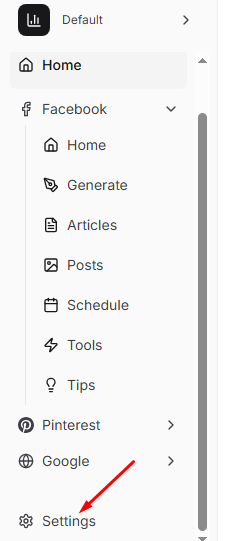
Log into your account on nichetraffickit.com > Got to the dashboard and click settings
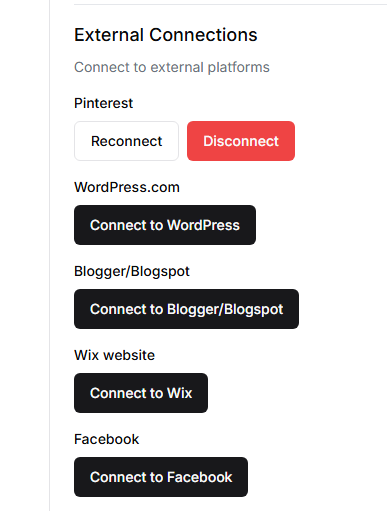
2. Scroll the settings page until you see External Connections and click Connect to WordPress
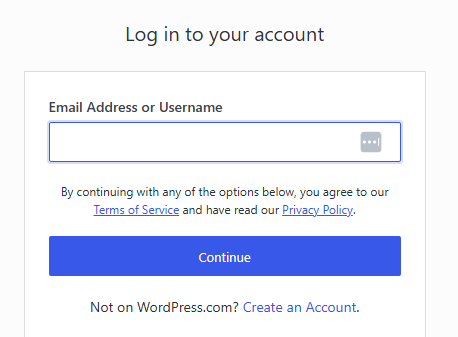
3. You’ll be directed to a page where you should enter your wordpress.com email or username
4. Approve necessary permissions when prompted
5. You’ve connected NicheTrafficKit to WordPress.com!
Method 2: Connecting to a custom WordPress website
1. Log into your WordPress admin panel and go to users
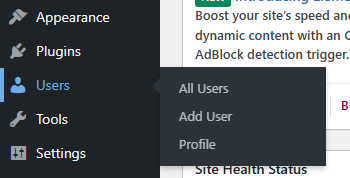
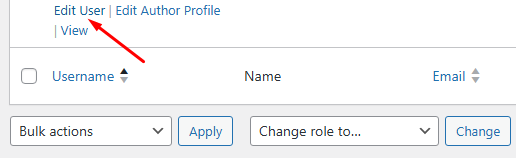
2. Go to Users > All Users, identify your username and click Edit User
3. Scroll to the "Application Passwords" section
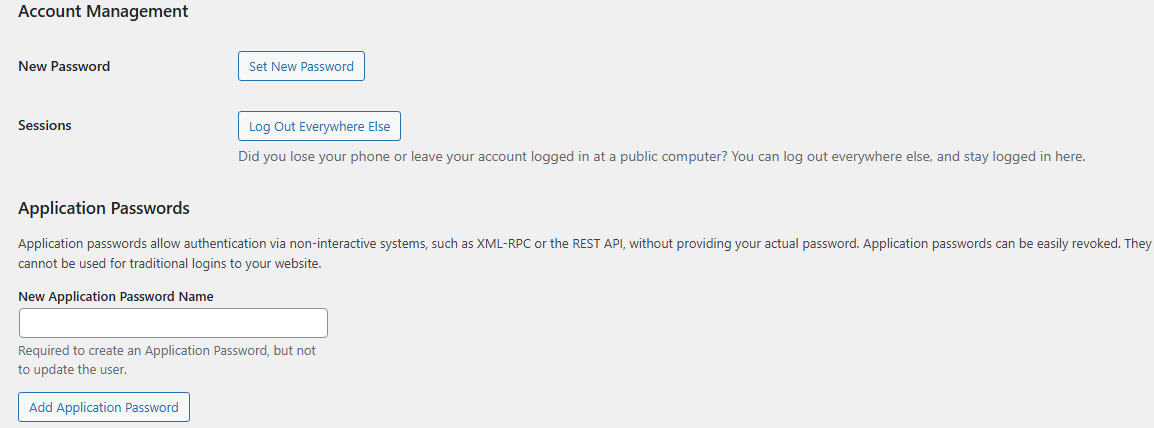
4. Create a new application password named "NicheTrafficKit" or anything else you prefer
5. Copy the generated password
6. Go back to NicheTrafficKit Settings and paste your custom WordPress username, application password, and website URL in the relevant fields
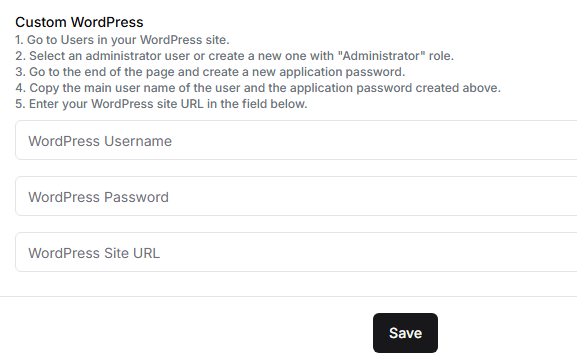
7. Click Save to complete the connection process
Troubleshooting: If the connection fails, ensure your WordPress site doesn't have security plugins blocking external connections, and that your hosting provider allows API access.