SEO & Google
Templates & Design Options
Content Quality & SEO
Publishing & Automation
Content Creation & Customization
Getting Started & Setup
How do I create an account and get started with NicheTrafficKit?
What information do I need to connect my Pinterest and WordPress accounts?
How do I link my WordPress website to NicheTrafficKit?
Can I connect multiple WordPress sites to one NicheTrafficKit account?
How do I Connect my Pinterest business account to NicheTrafficKit?
What happens if I change my WordPress login credentials?
Do I need admin access to my WordPress site to use NicheTrafficKit?
How do I set up my brand colors for Pinterest pins on NicheTrafficKit?
What WordPress categories should I select for auto-publishing?
How do I set my preferred posting schedule and time zones?
πŸ’¬
Feedback
πŸ—ΊοΈ
Roadmap
    Home
  1. Getting Started & Setup
  2. Can I connect multiple WordPress sites to one NicheTrafficKit account?

Can I connect multiple WordPress sites to one NicheTrafficKit account?

Written By Kevinson Libama

Last updated 7 months ago

Yes, after connecting the first website, go back to Settings > Add New Account
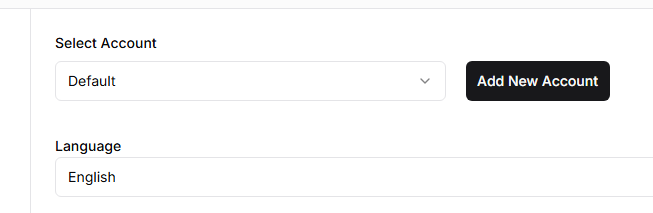
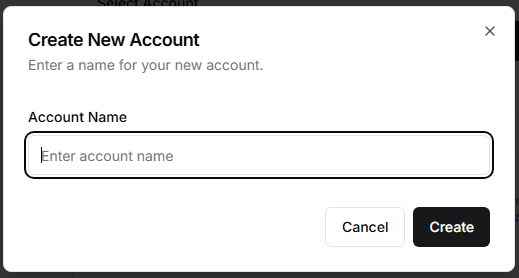
Next, create a new account and add connect another WordPress or Pinterest account
Was this helpful?